Within this blog post I will be explaining the 2 Adobe photoshop self portraits I have constructed using Adobe photoshop.
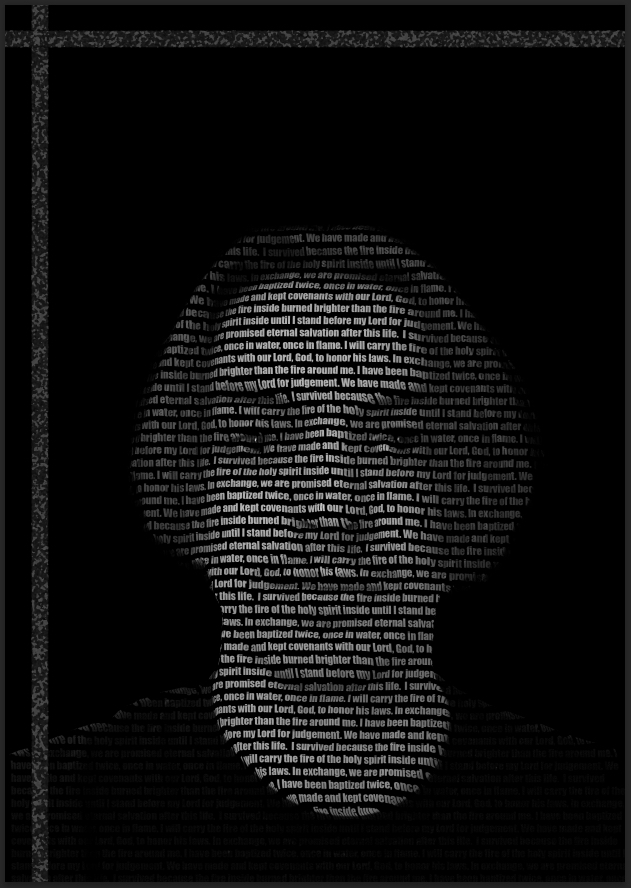
Firstly, I started by making a copy layer and adding a “Gaussian Blur” effect on the top layer and increasing the radius to 10 points, then removing it once being saved onto my computer. in addition I have added various quotes from a video game character that I highly admired and grew up loving called “Joshua Graham.” For instance one of the quotes I admire is “I survived because the fire inside burned brighter than the fire around me.” (Nukapedia, n.d.) which means once he was tossed into a canyon whilst lit on fire, his soul and will to live burned brighter than the fire engulfing his body, ultimately leading to his survival.
Secondly, once I have added the quotes from “Joshua Graham” across my face and shoulders I used the “Distort” tool and uploaded the “Gaussian Blur” effect back onto my portrait. With all of these steps I have created a portrait of myself with the characters forming my facial features in a 3D aesthetic.
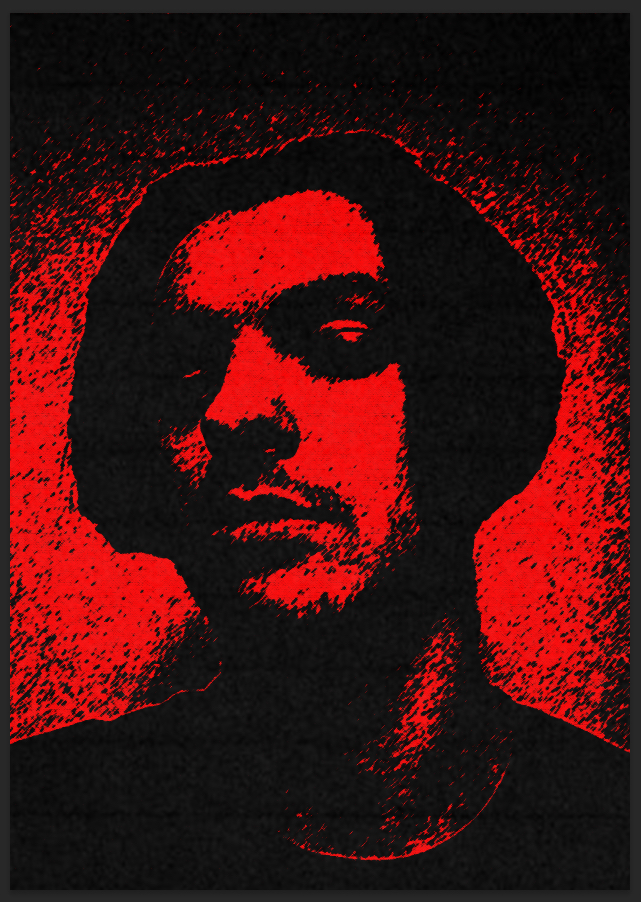
Firstly, my thinking process within the portrait was to create a 90’s styled horror movie portrait by using background textures like a photocopy texture. The reason for creating this style is based of my passion and love for old horror related things like movies and games, with that in mind I wanted to pour my love for old horror movies into a simple portrait with that aesthetic.
On the other hand, my process to creating the portrait was done by using a lot of different filters combined together and by adjusting the settings within the filter for example, I used a filter called “Film grain” to give the solid black colour more texture so it didn’t look bland, in addition I used a filter called “Stamp” to create a solid black and white colour, which I then changed the white to red for the horror aspect.
Nukapedia: The Fallout Wiki. (n.d.) Joshua. Graham. Available at: https://fallout.fandom.com/wiki/Joshua_Graham [Accessed 09/12/2024].